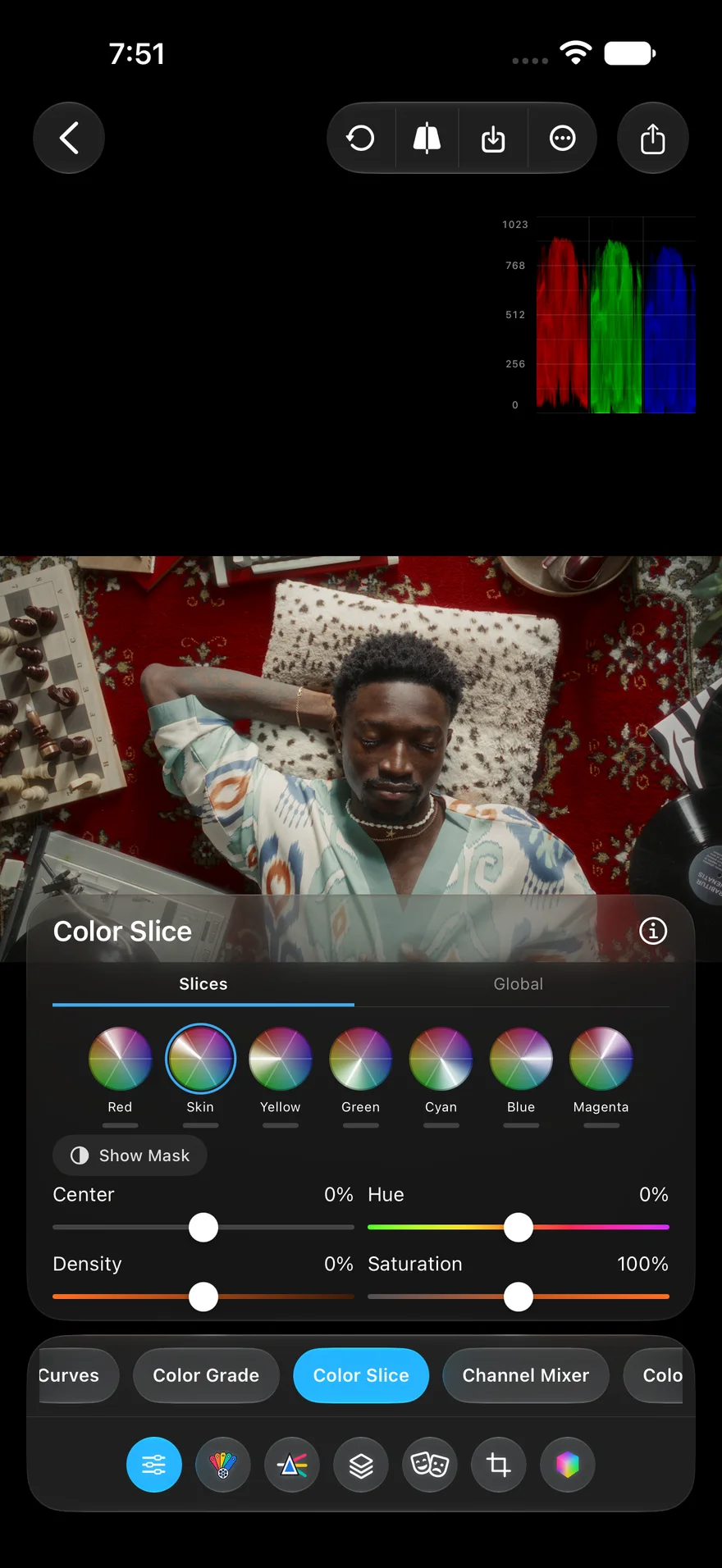
Color Slice
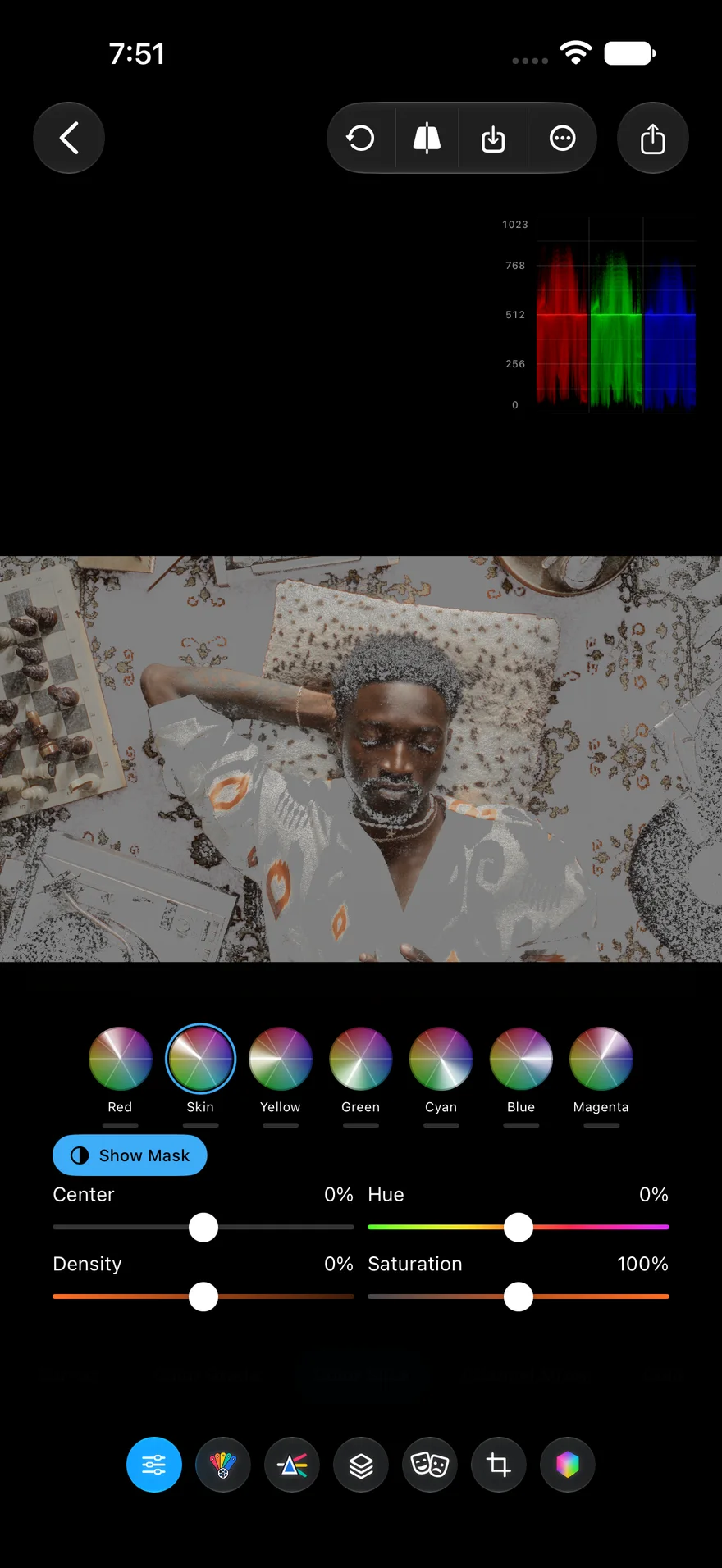
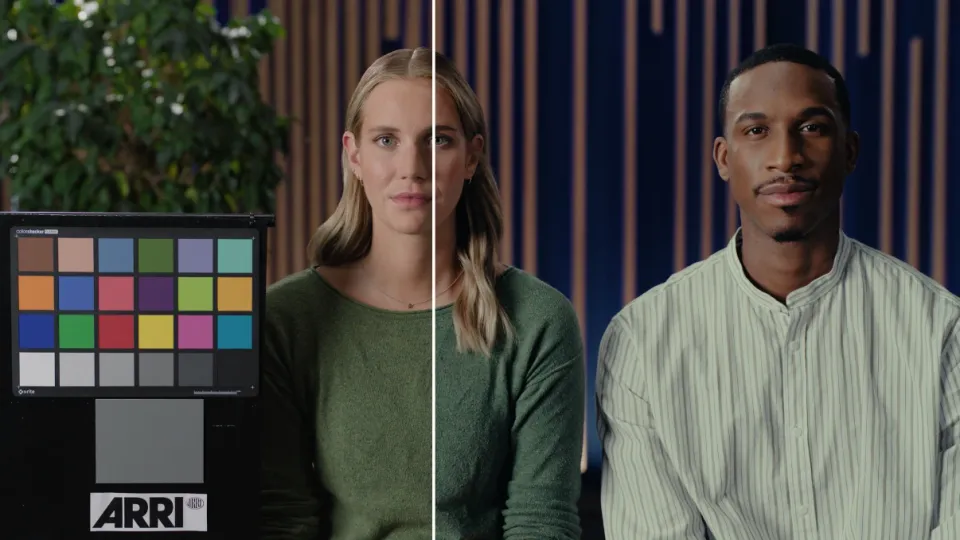
Seven hue slices, red through magenta with a separate skin slice. Center, hue, density, and saturation per slice, with a mask preview.
Reads log footage from Apple, ARRI, Sony, and DJI. Grades photos and video with 35 tools, from color wheels and curves to film stocks and halation. Exports the finished look as a .cube LUT.
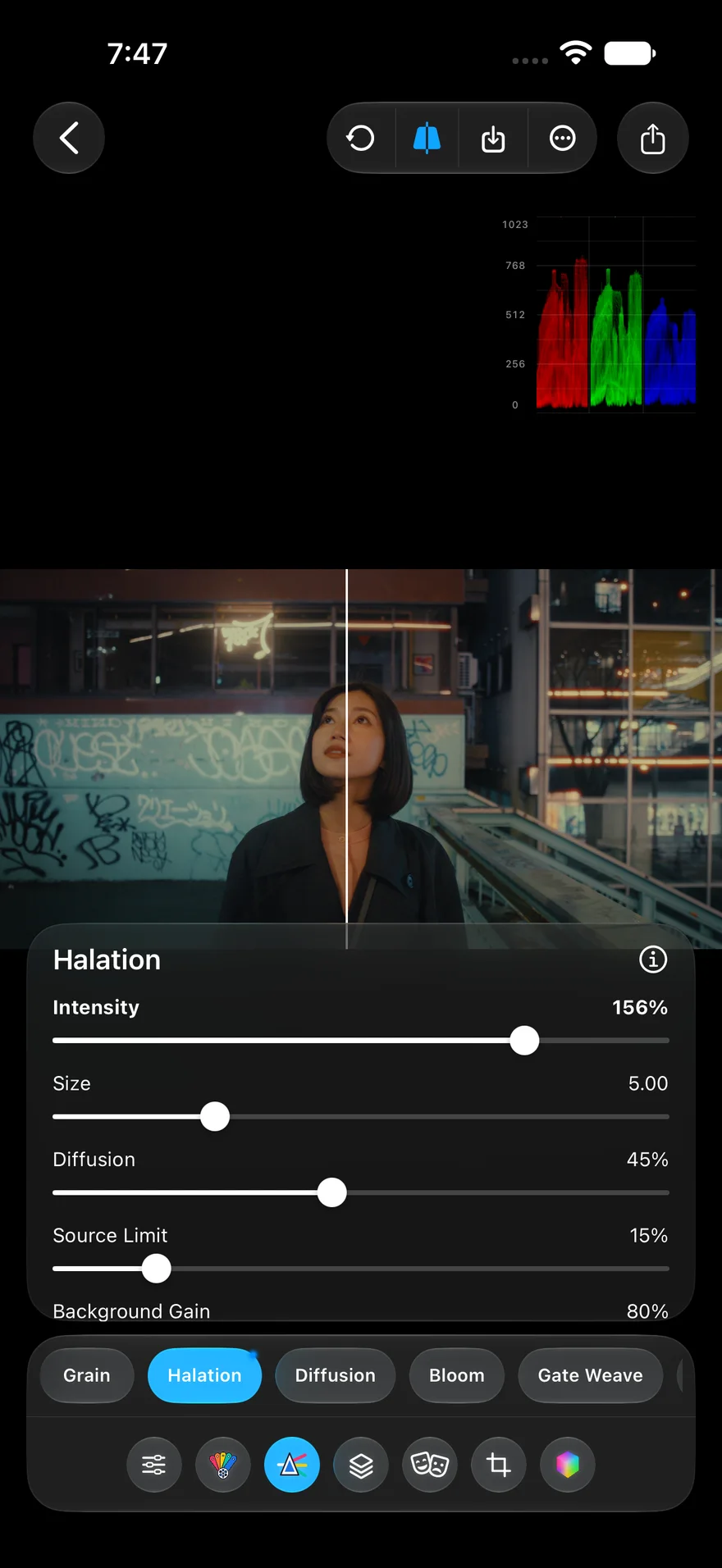
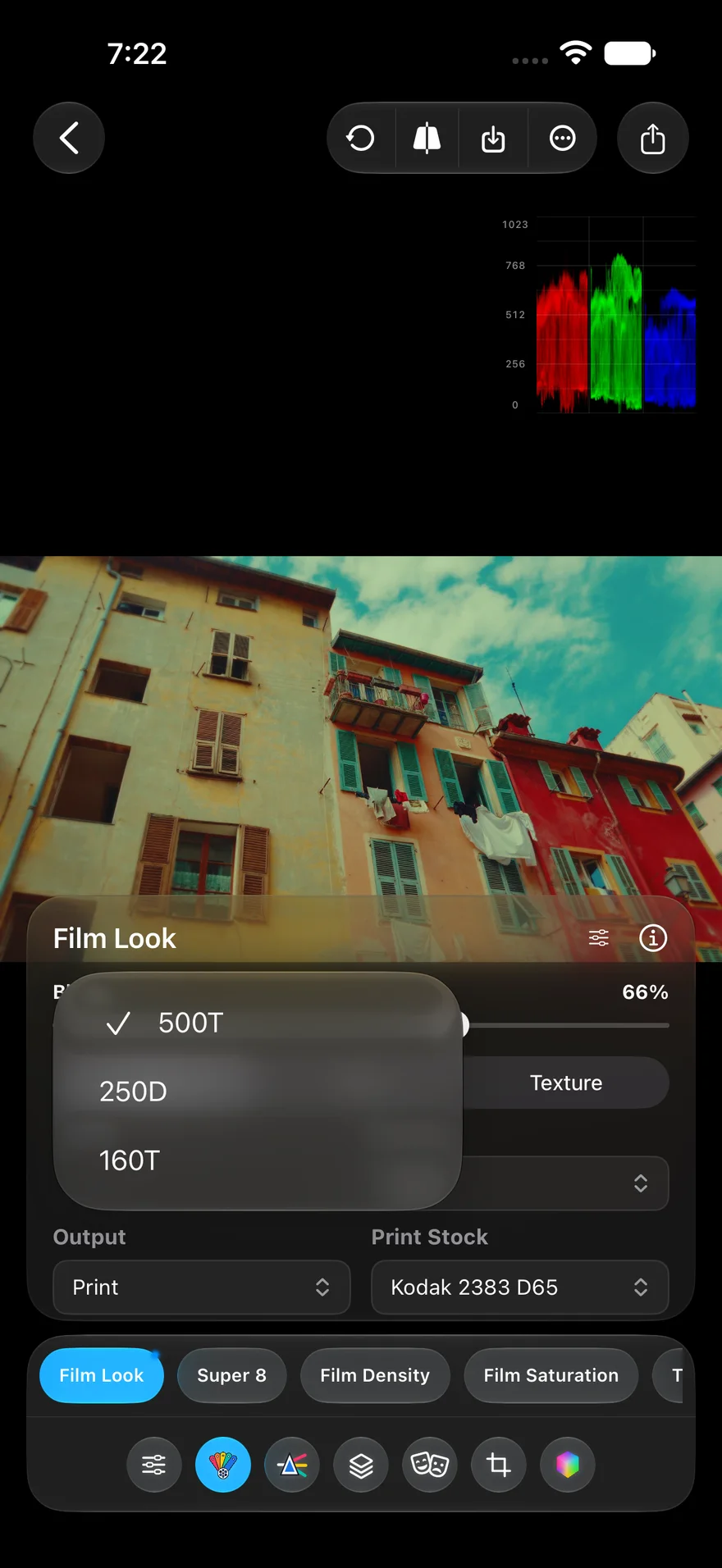
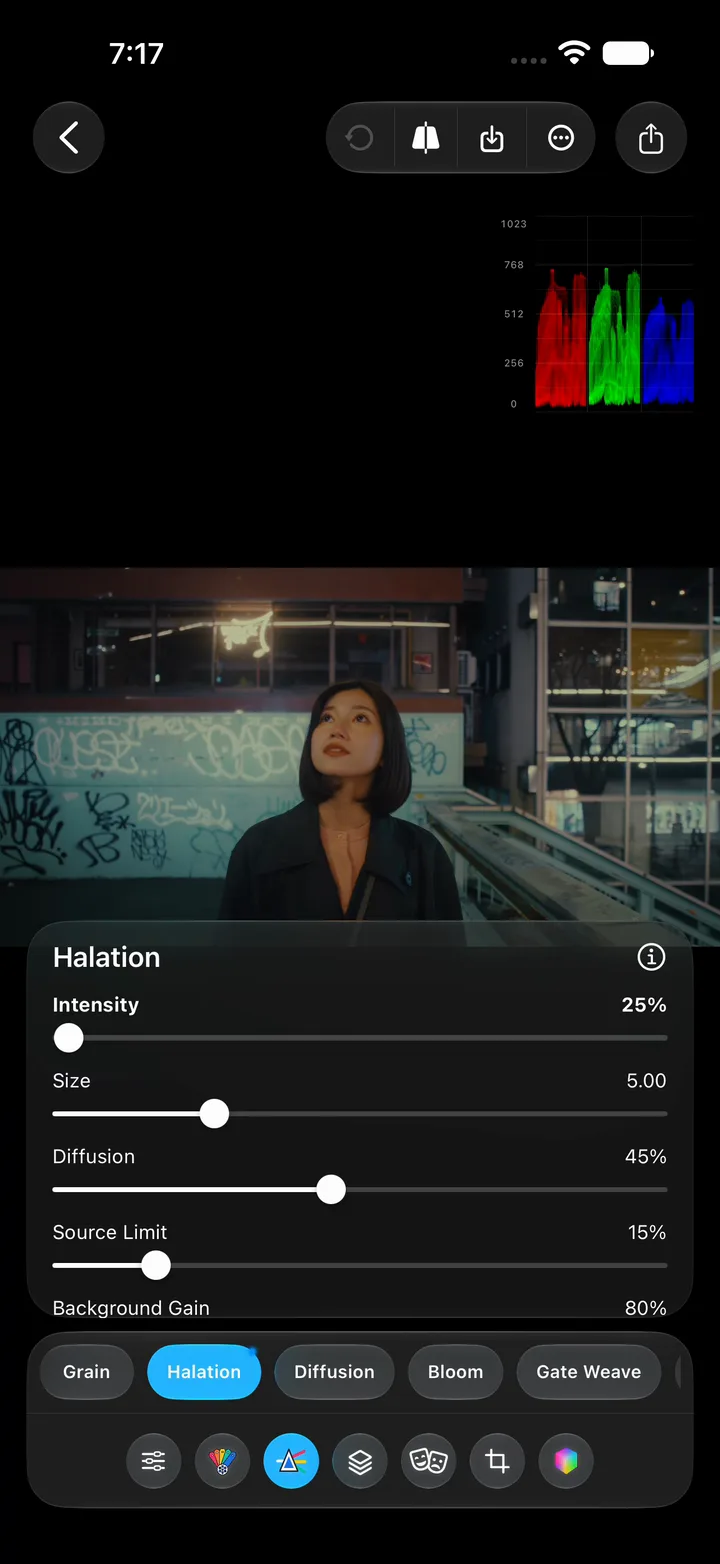
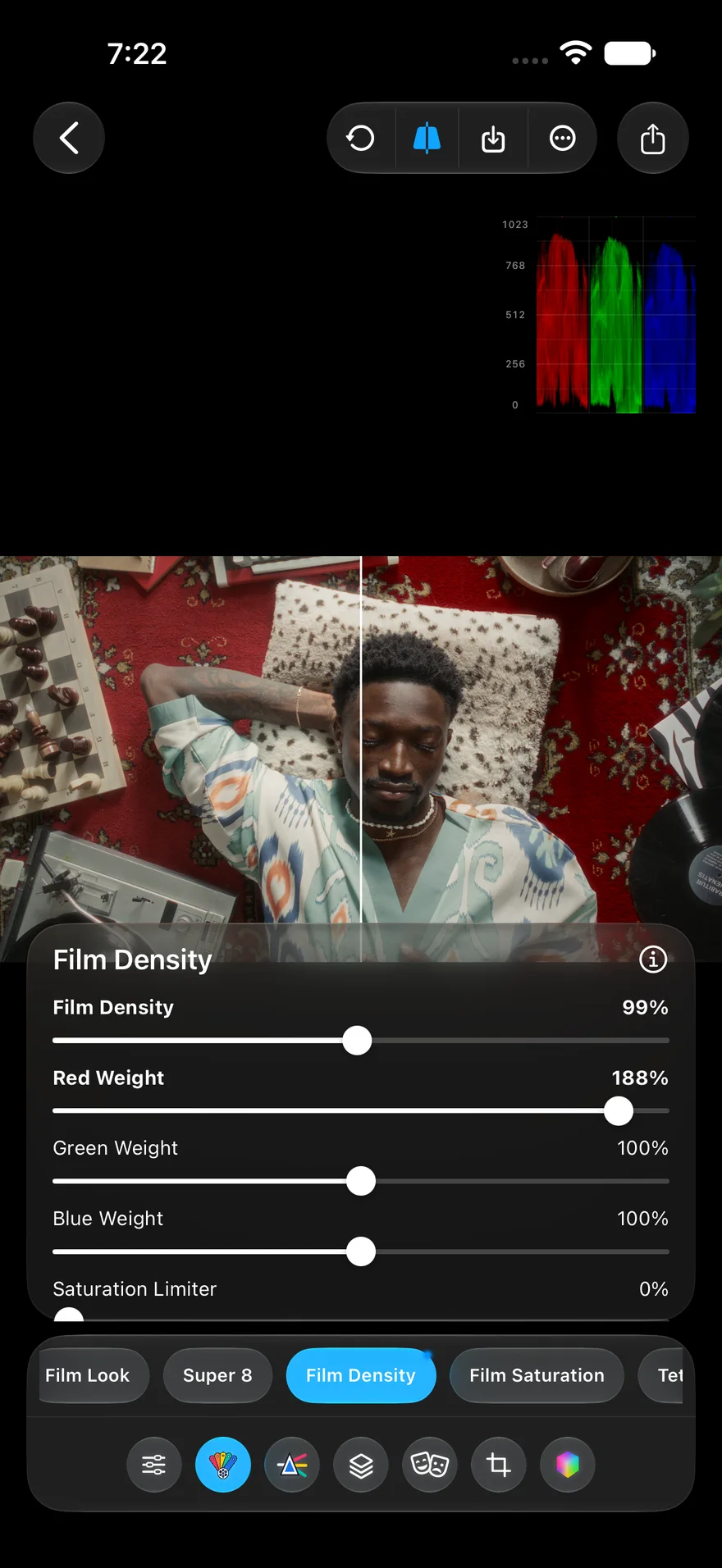
Looks built the way film builds them. Film Look assembles a full treatment from a stock (500T, 250D, or 160T), a gauge (35mm or 16mm), and a print response, then lets you scale its halation, grain, softness, gate weave, and dust one by one. Film Density adds weight without crushing detail, and Halation puts a soft red halo on the dark side of bright edges while the picture underneath stays sharp.
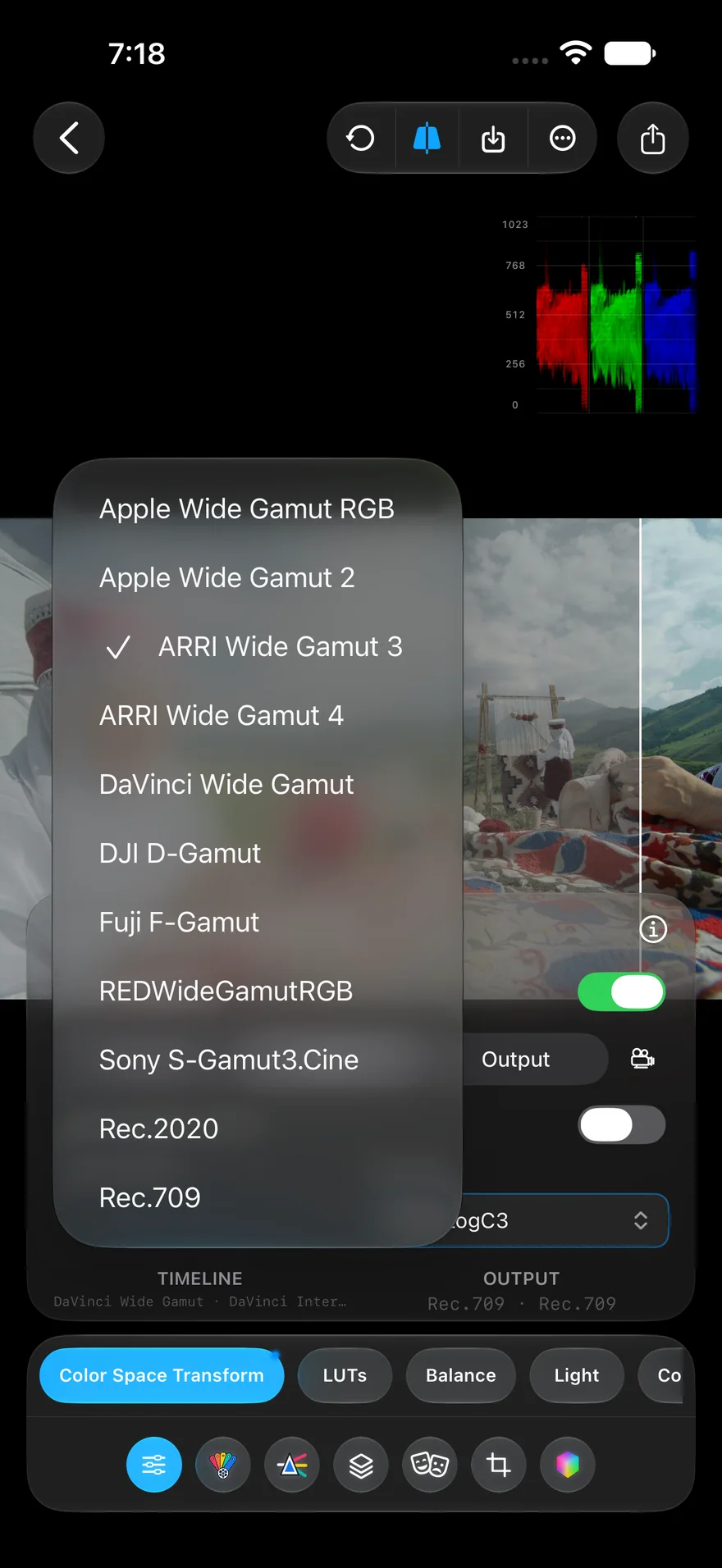
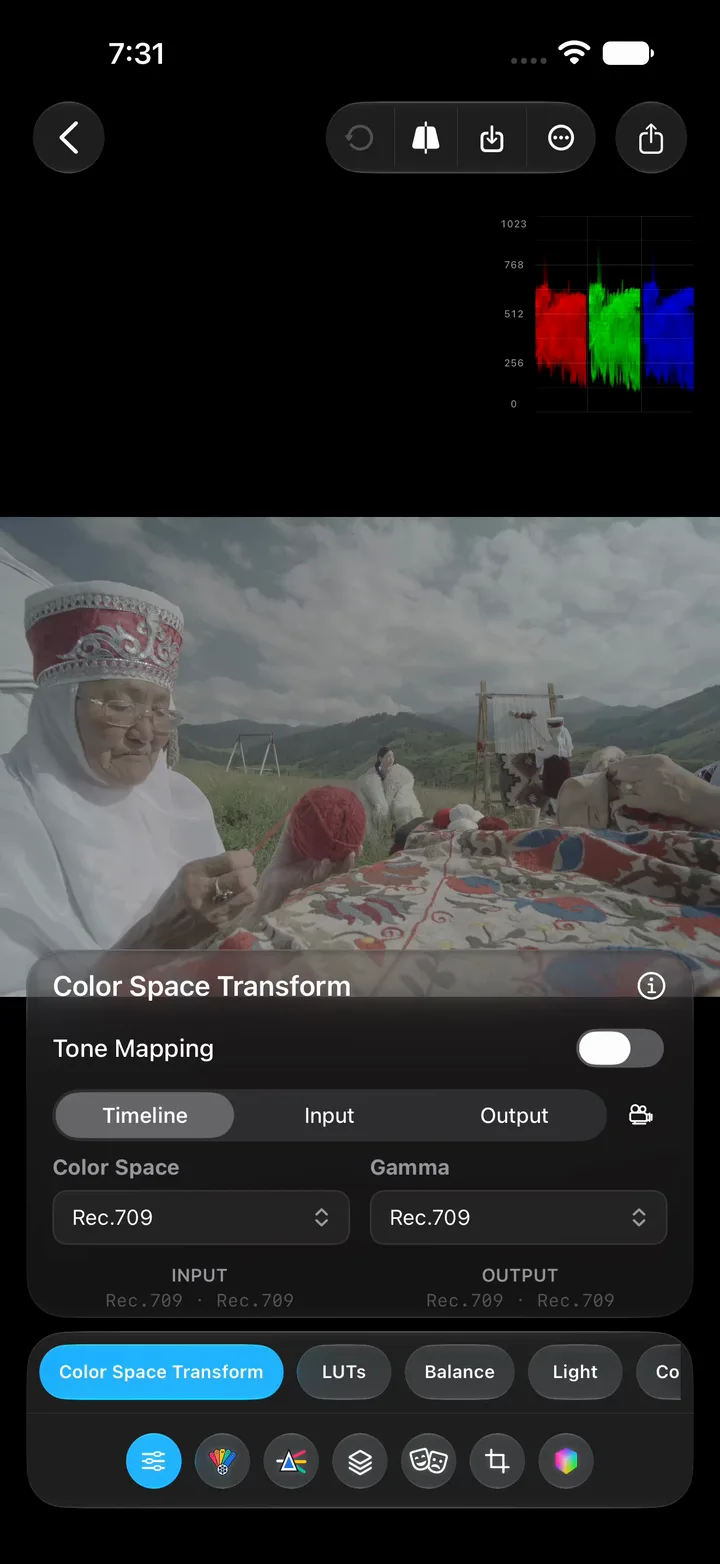
Tell PeekLUT what you shot on. Color Space Transform has presets for Apple Log, ARRI LogC3, Sony S‑Log3, DJI D‑Log, Insta360 I‑Log, and more. Pick one and flat log footage turns back into a normal-looking image, with tone mapping a switch away. For full control, set the input, timeline, and output color space and gamma yourself, and work in DaVinci Wide Gamut so colors do not clip while you grade.
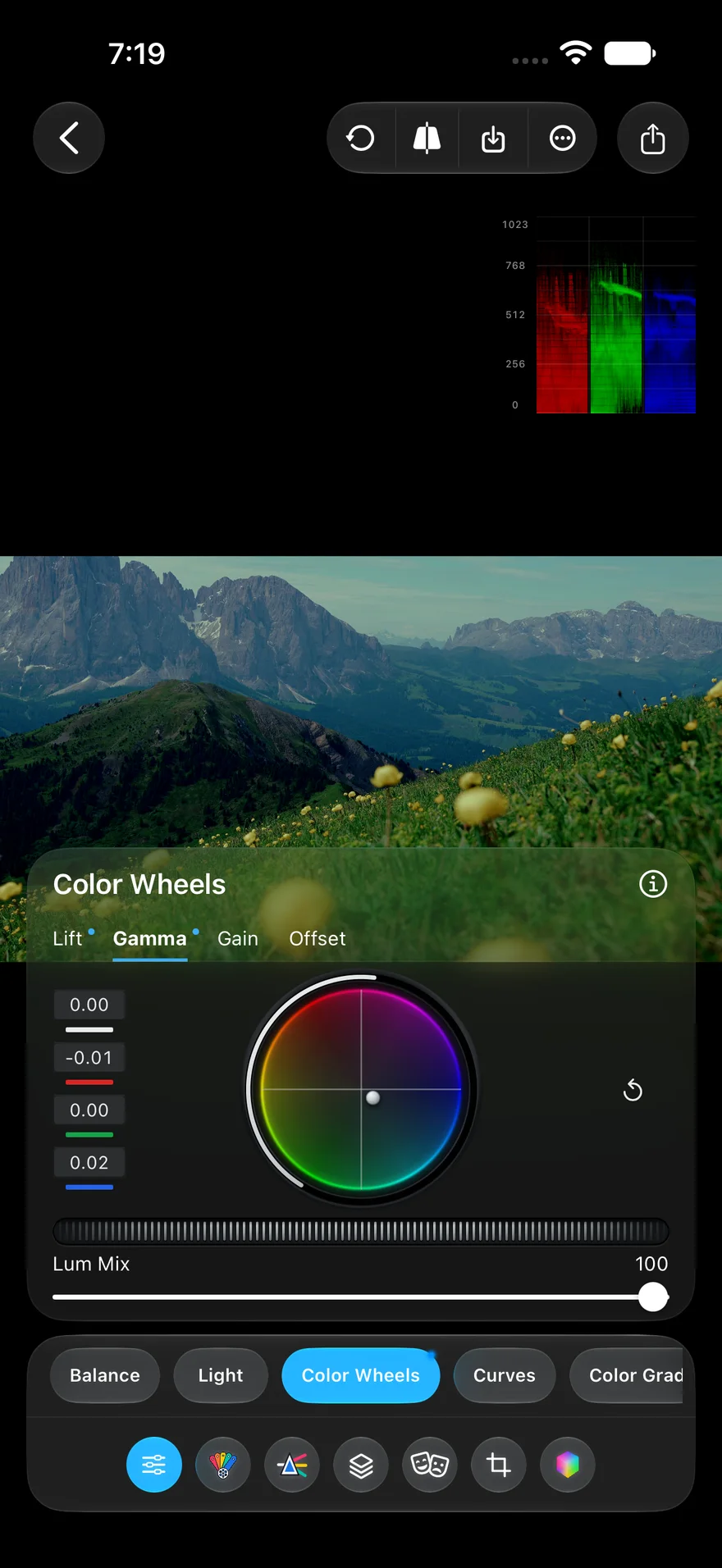
The colorist’s four wheels, under your thumb. Lift shapes the shadows, Gamma the midtones, Gain the highlights, and Offset moves the whole image. Drag a trackball toward a color to tint that range, turn the ring or the dial to set its level, and scrub any number field for an exact value. Lum Mix sets how much a wheel move changes brightness versus color.
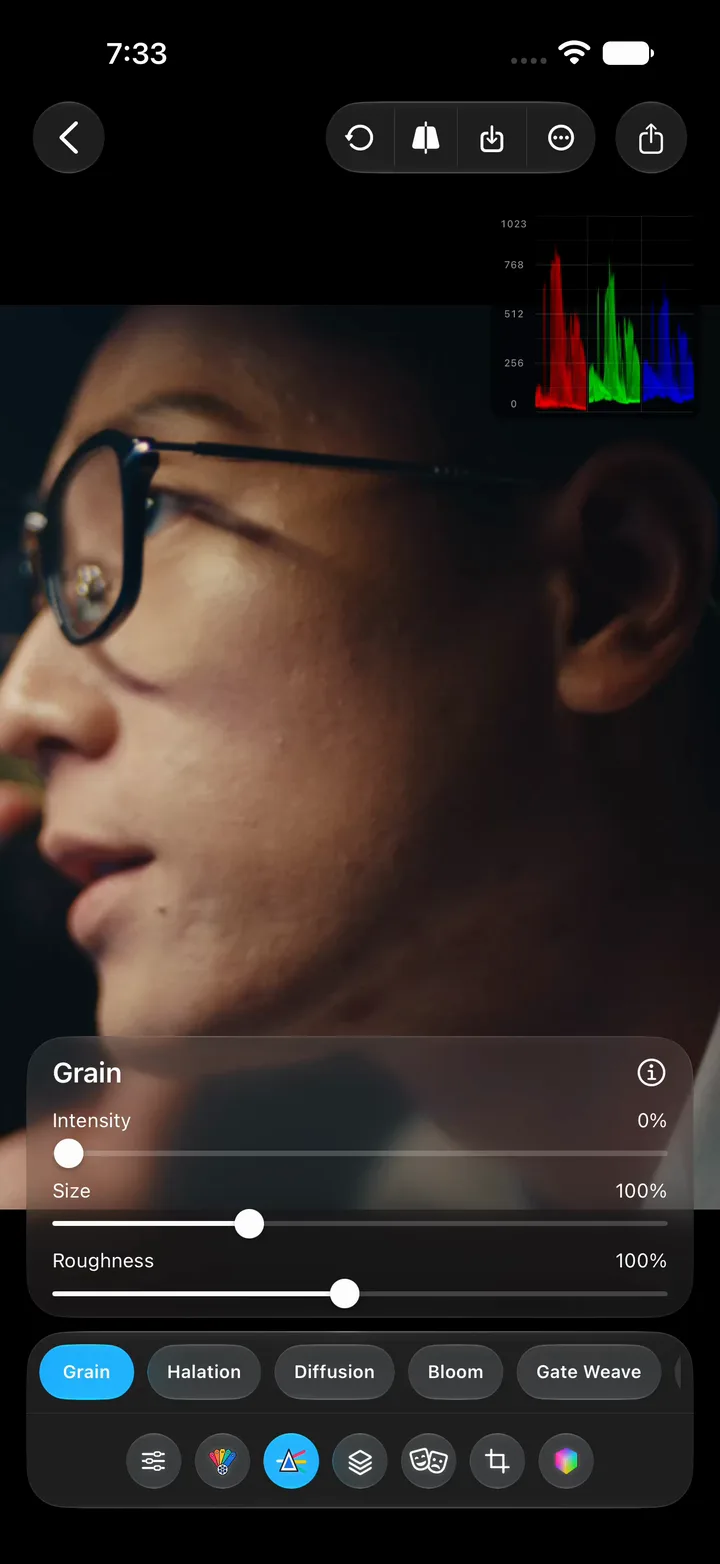
Two finishing moves digital footage usually lacks. Grain layers film-style texture over your footage, with intensity, size, and roughness to take it from fine to coarse. Start subtle, then push until it blends into the scene. Film Density adds film-like weight and richness by deepening density without crushing detail, with red, green, and blue weights to lean it toward one channel and a split view to check it against the original.
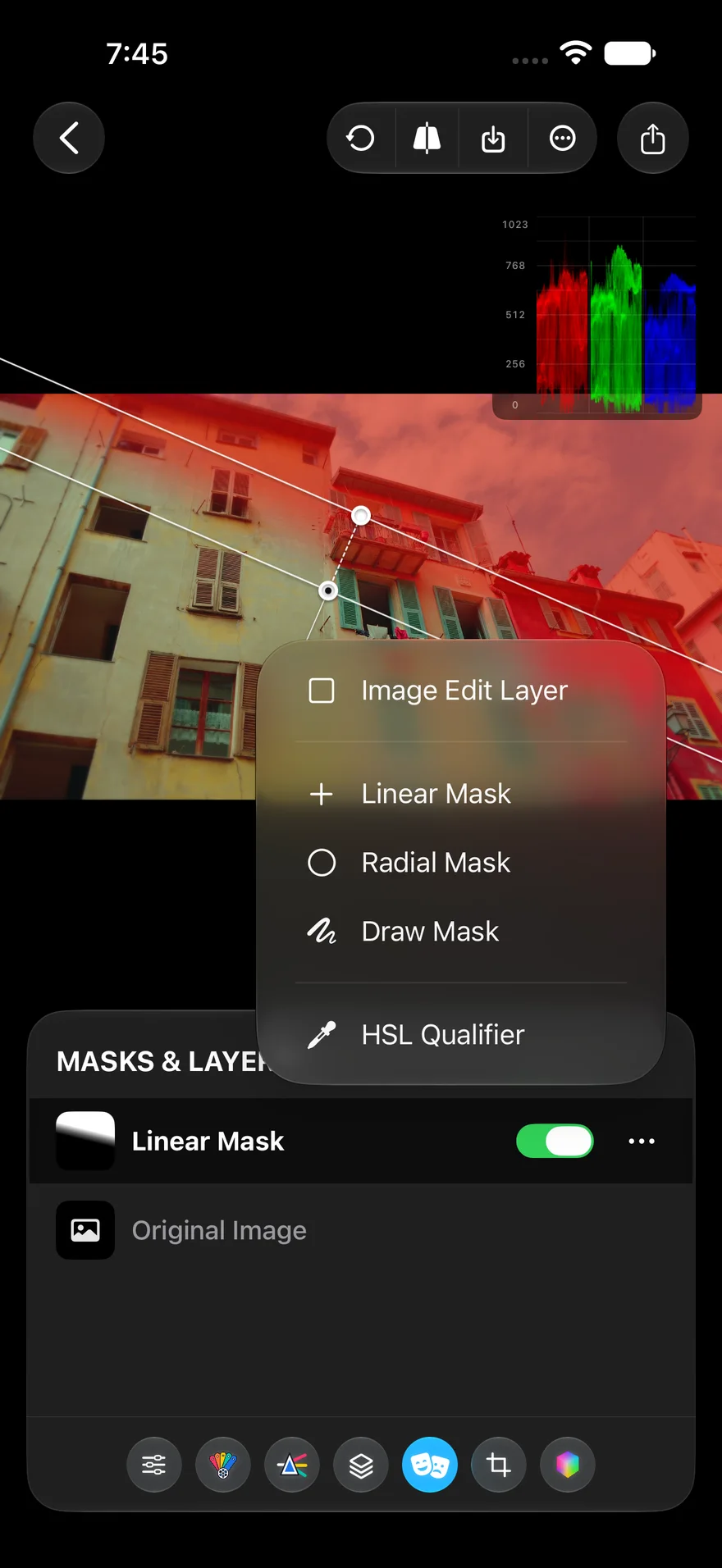
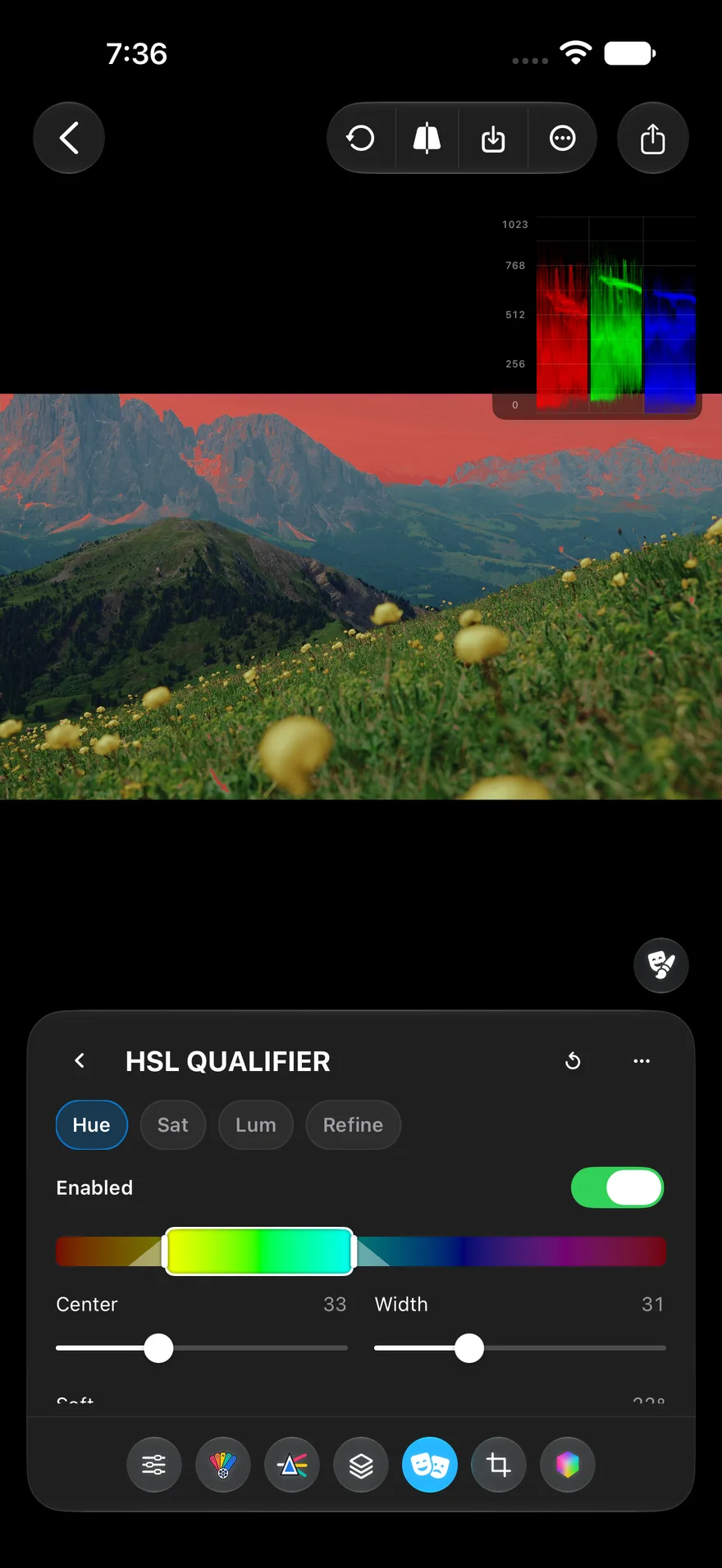
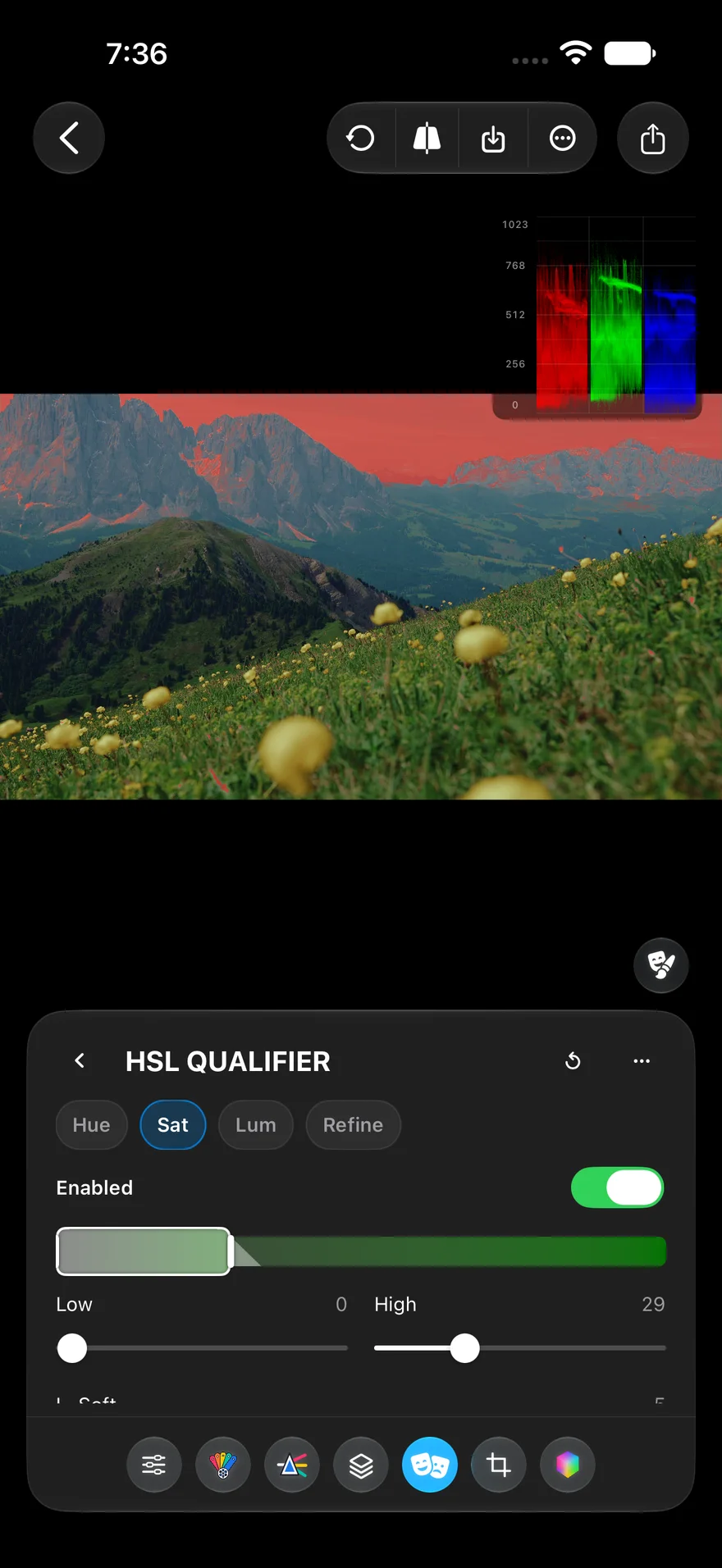
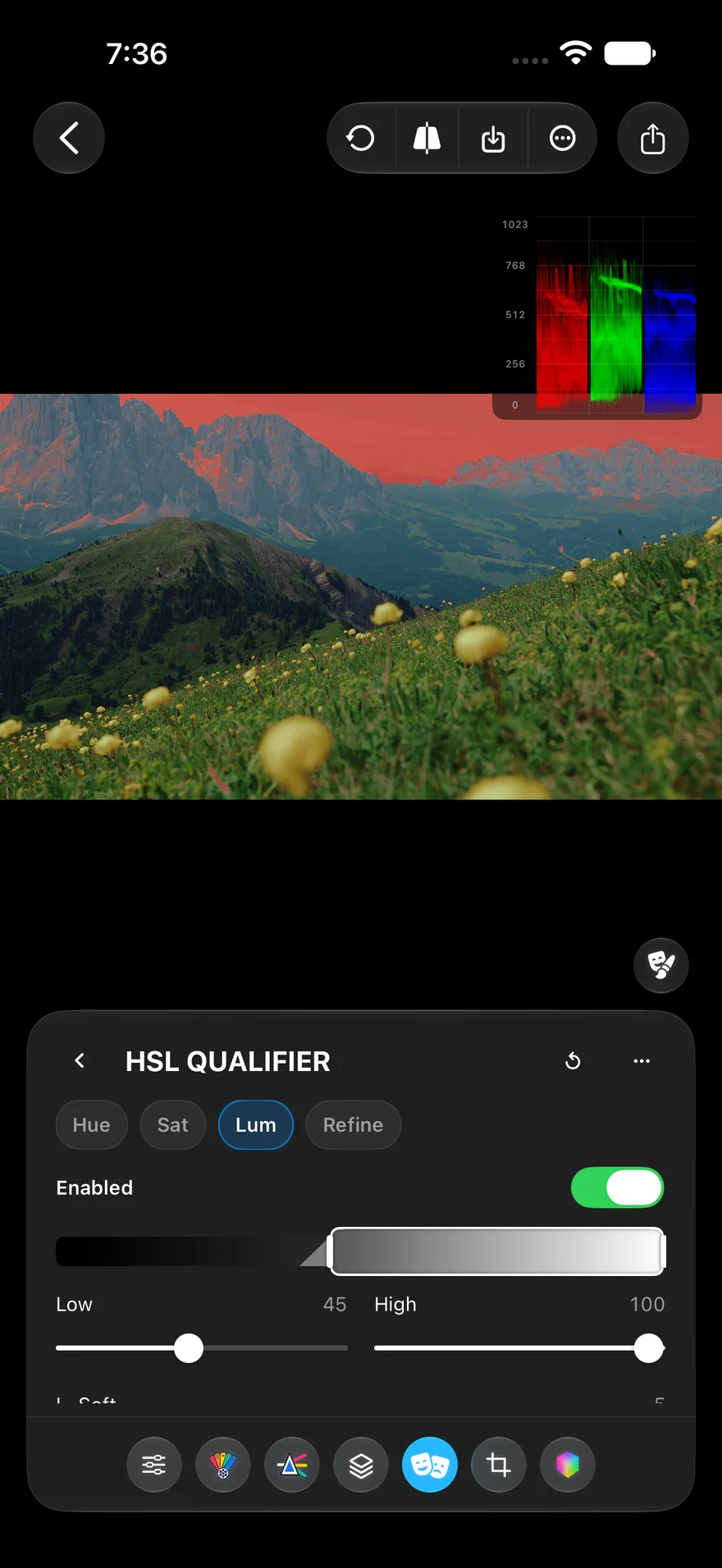
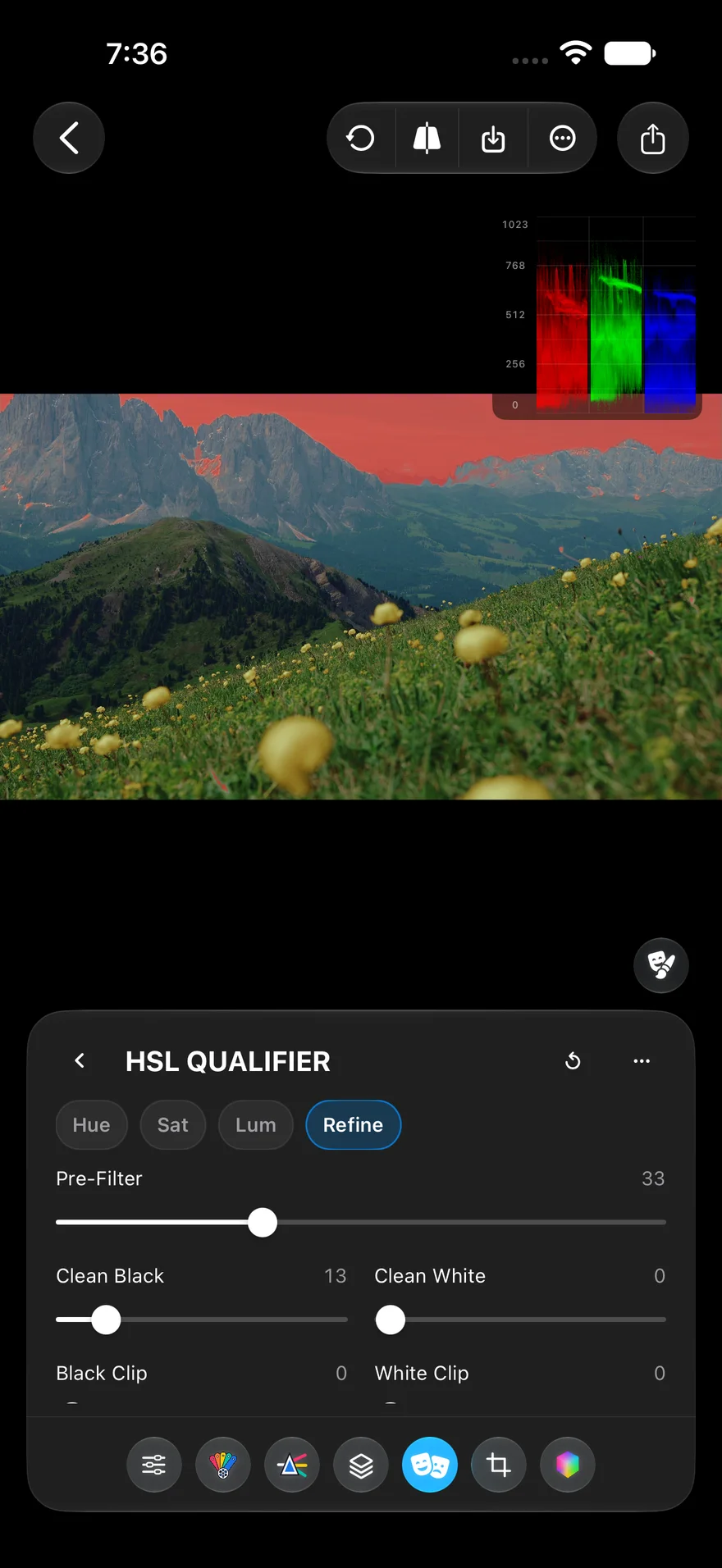
Select by hue, saturation, and luminance. The HSL Qualifier builds a mask from the picture itself. Set a hue range, narrow it by saturation and luminance, and a red overlay shows exactly what is selected. Refine cleans up the matte with pre-filter, clean black, clean white, and clip controls, and hue detection ignores washed-out pixels, so selections stay clean on skin tones and muted colors. Then grade the sky, a jacket, or a face without touching the rest.
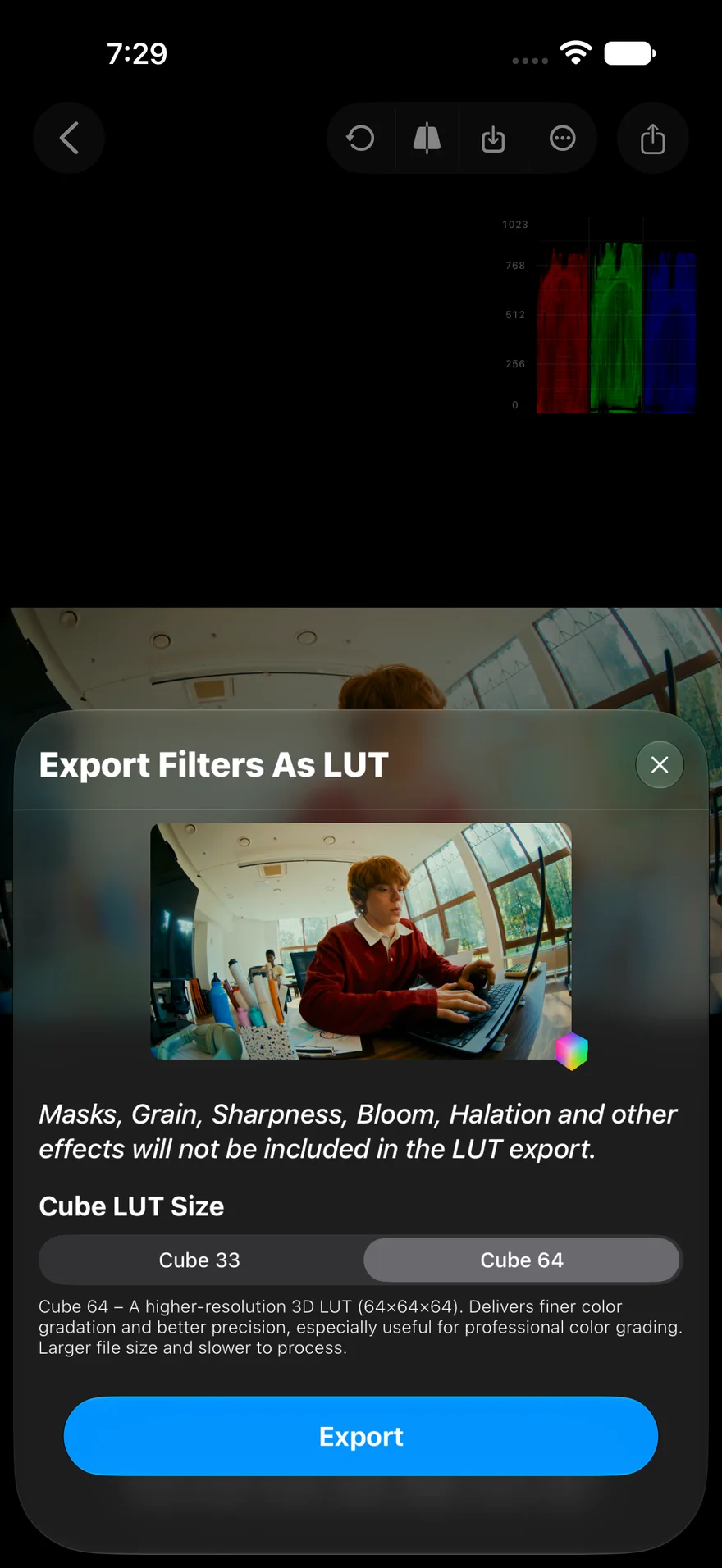
Your phone grade, on your desktop timeline. Convert your adjustments into a .cube LUT at 33 or 64 points. Stack imported LUTs with your own corrections, set the opacity of each, and compare before and after with a split view.
Color wheels, channel mixing, masks, and color management, on photos and video. Try all of it on your own footage.
Seven hue slices, red through magenta with a separate skin slice. Center, hue, density, and saturation per slice, with a mask preview.
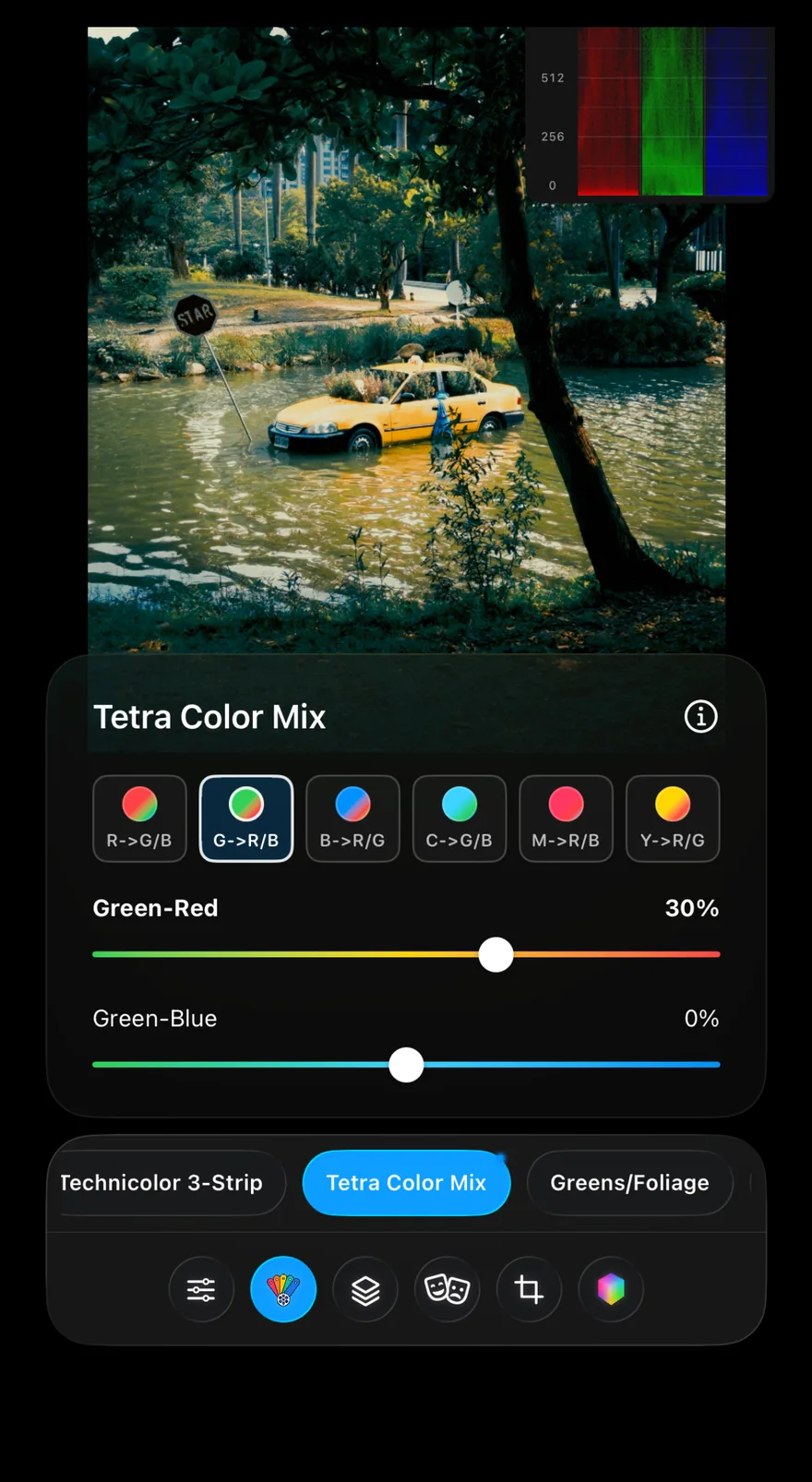
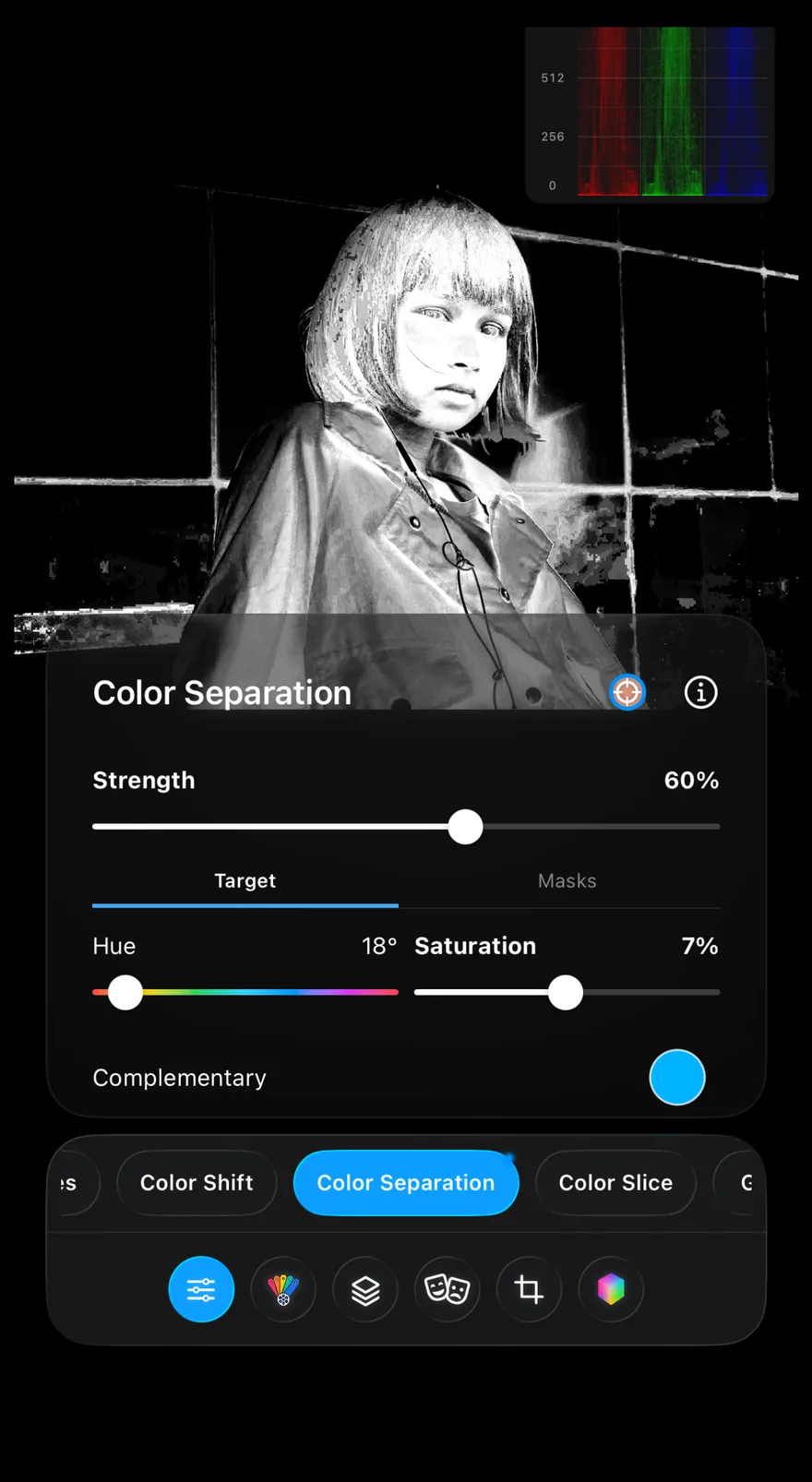
Tune how red, green, blue, and their mixed colors blend into each other for cleaner separation.
Red highlight scatter. Intensity, size, diffusion, source limit, and background gain.
Linear, radial, draw, and HSL qualifier masks, plus image edit layers. Per-layer toggle and mask overlay.
Input, timeline, and output color space and gamma. Apple, ARRI, DJI, Fuji, RED, and Sony gamuts, plus Rec.709 and Rec.2020.
Anchor a subject color, such as skin, and expand the rest of the palette away from it.
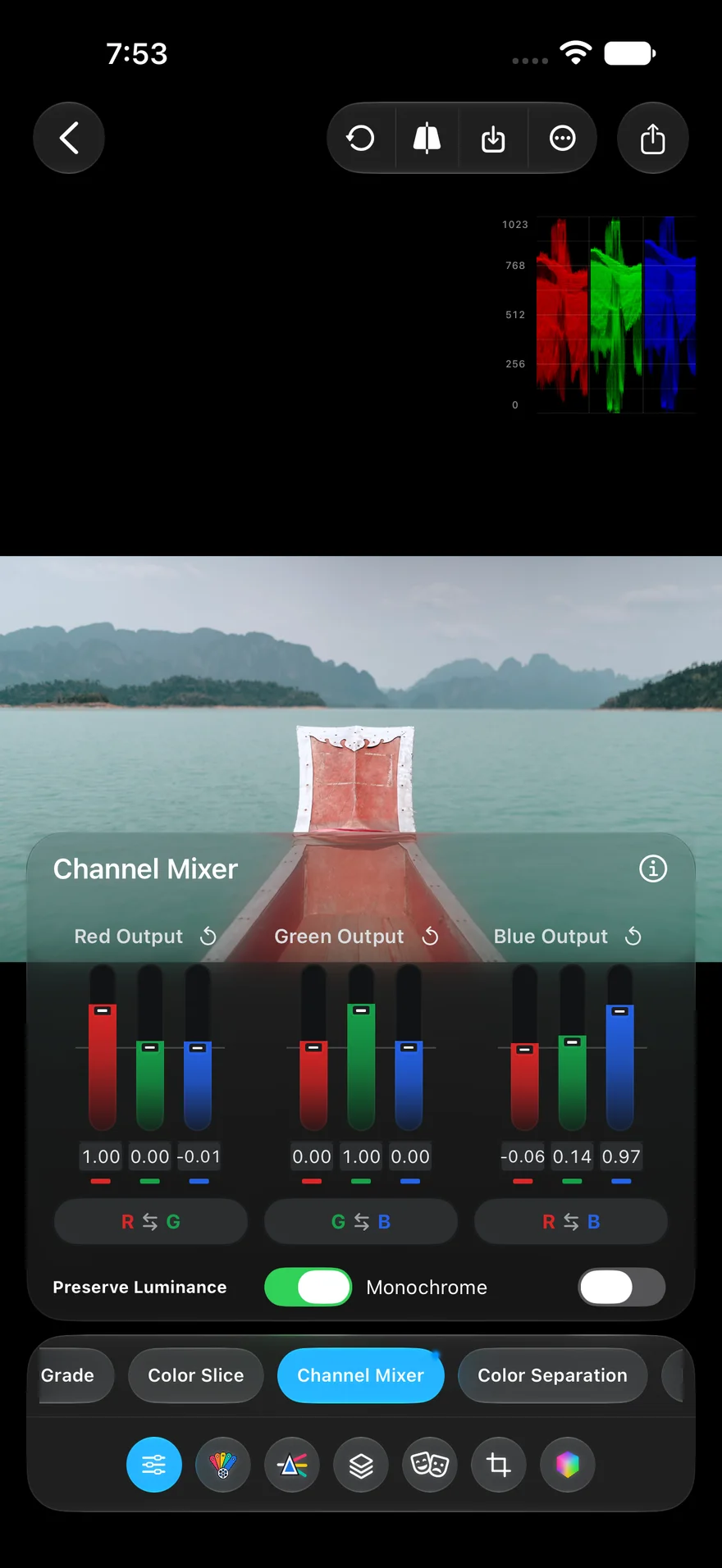
Red, green, and blue output mixes with channel swap, Preserve Luminance, and Monochrome.
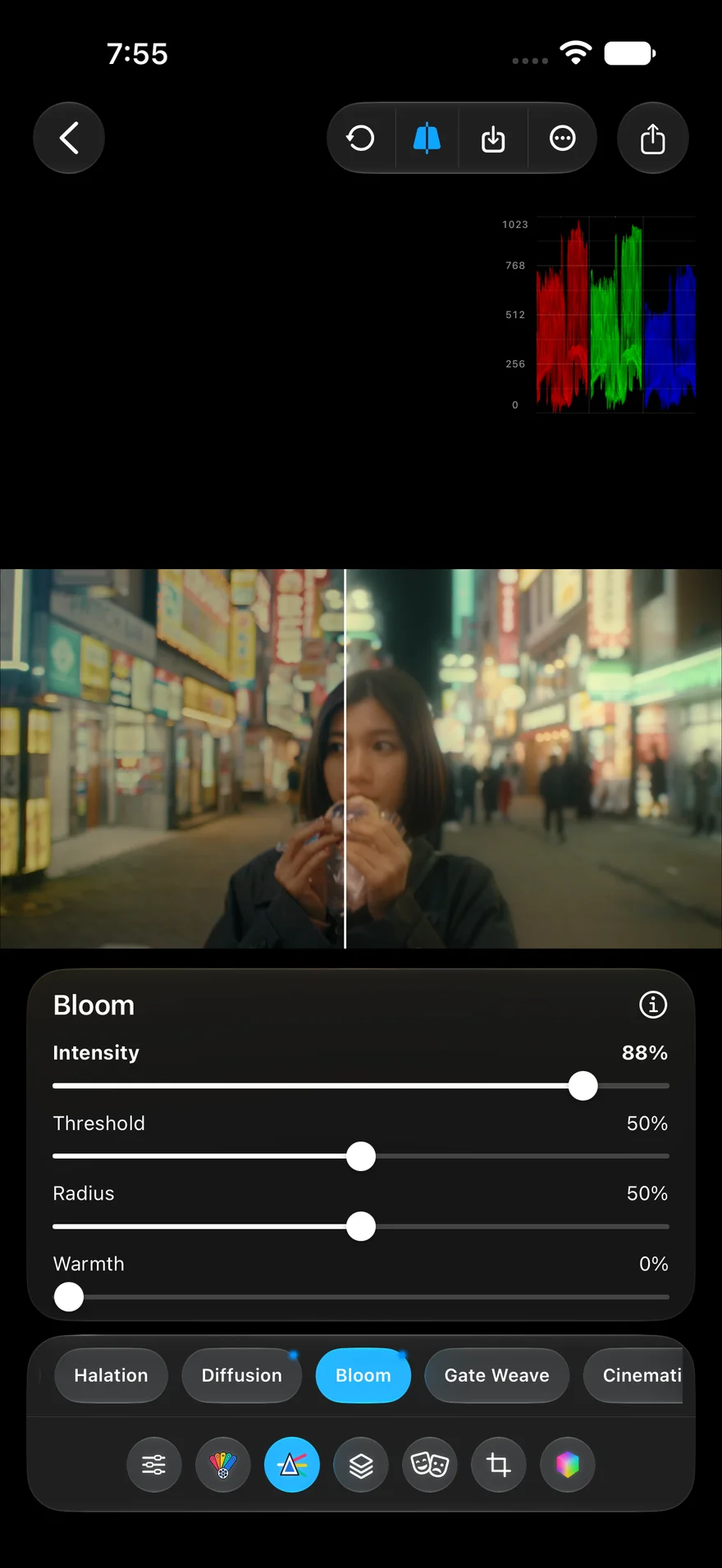
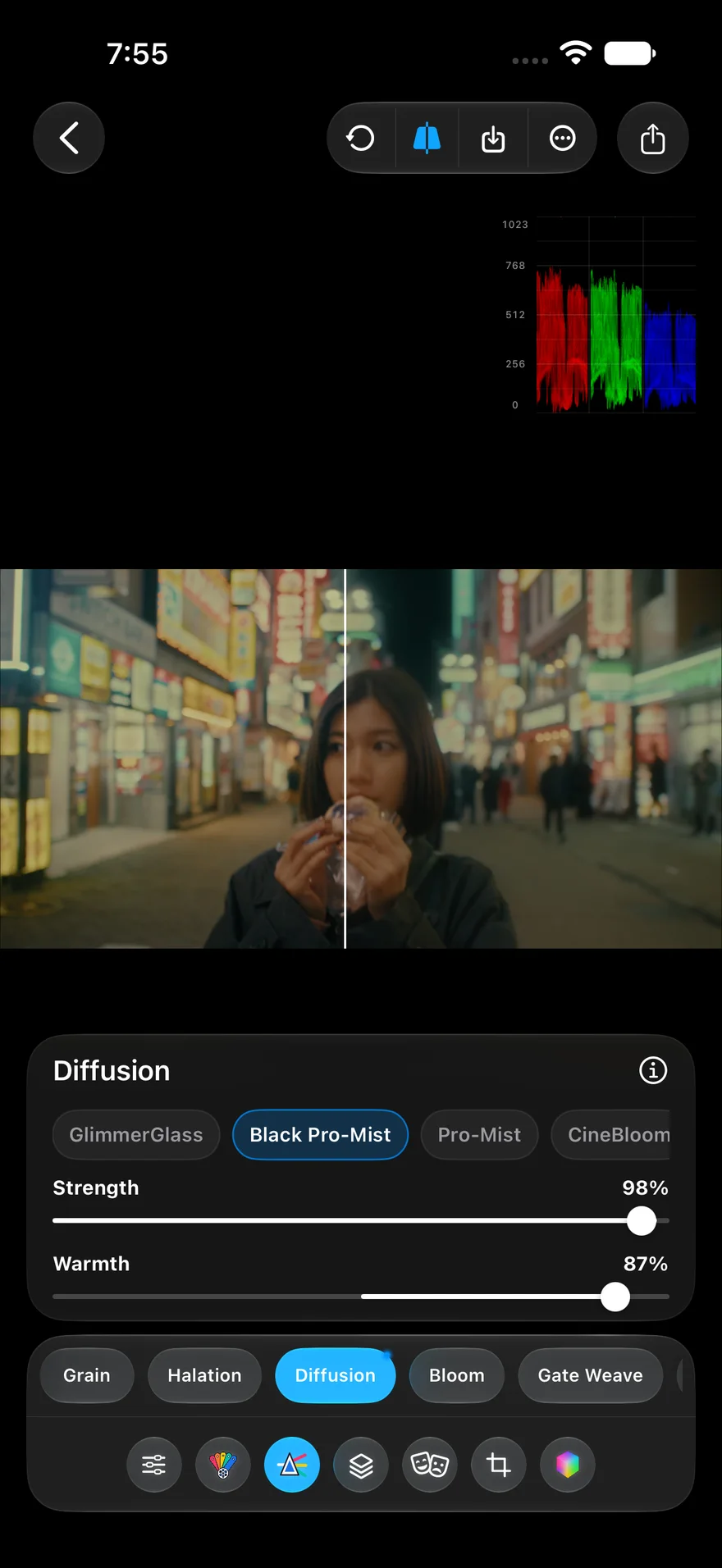
Bloom: intensity, threshold, radius, and warmth. Diffusion: four mist-filter families with strength and warmth.
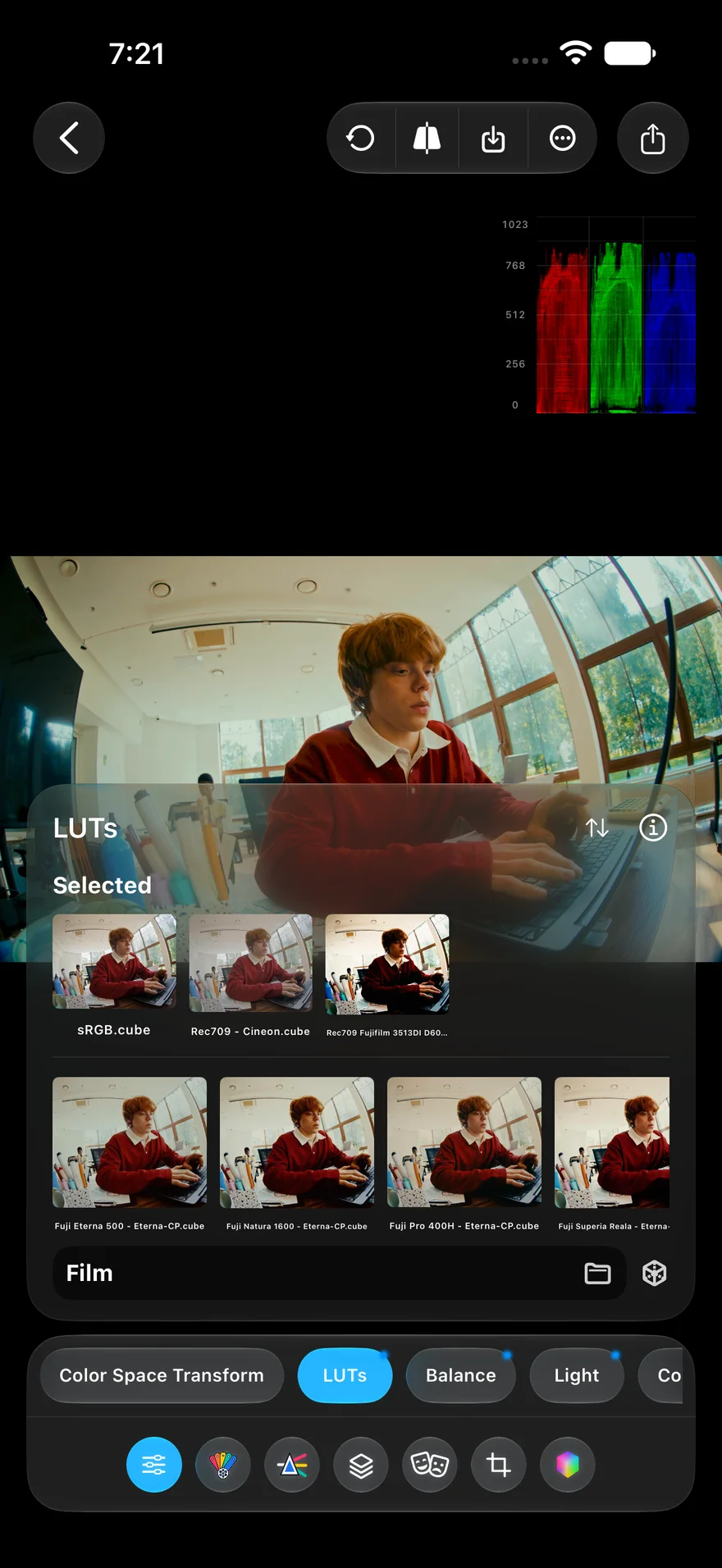
Import .cube files and HaldCLUT images from Files or Photos, link a whole folder, and stack looks with opacity. Built-in packs cover film looks, log conversions, and color space transforms.
One of the only few apps I can find that allows me to edit my content via basically all color grading methods. The quality comes out super crisp every time and I’ve never had any glitch issues or problems with this app. It’s my #1 go-to for quick and professional quality editing.
I use this on a daily to edit my videos I recorded using Black Magic Cam. I like that you're able to use Luts and still edit them to your liking!! The possibilities are endless for video editing on your smartphone. I highly recommend using the paid version!!!
I just downloaded this app I’ve been using it for a couple of days now and wow this is way too advanced for a phone app it feels really professional and easy to use at the same time! You should definitely try it!
The software basically lets you take your iPhone and turn it into something like a Panasonic S9. Really well done interface I look forward to seeing the evolution of this piece of software.
Latest updates makes it work wonderfully amazing now! Time to put in this work.
It’s just incredible I’ve been looking for something like this for forever and now I found it!
It’s refreshing to use an app that does what it says. Clean interface and fun to support the developer, great work!
Really intuitive and allows for great results even just in the free version.
Was looking to edit a picture real fast with different colors and this app made it easy.
This app is incredibly useful and iPhone never looked better!!!!
If you’re a creator or artist. This is the very best app made. It’s 1 of my top 3. Whoever developed this app should be promoted. 5🌟 for sure. 🫡
I have been searching for a Luts app and finally found a great one and it’s free!!!
35 tools across Color, Film, and Effects, listed in the order you will find them in the app.
Masks — Linear, radial, draw, and HSL qualifier masks, plus image edit layers.
Scopes — Histogram, waveform, and vectorscope while you grade.
Before & After — Hold for the original, or split the frame to compare.
LUT Export — Save any grade as a .cube LUT at 33 or 64 points.
Batch Edit — Apply one look to up to 10 photos or clips and export together.
Presets — Save, rename, and duplicate your own looks.
Undo History — Full undo, redo, and reset on every edit.
Crop & Framing — Smart crop, auto crop, and manual framing.
Video Export — MP4 or MOV in HEVC, H.264, or ProRes, 480p to 4K, with custom bitrates.
Image Export — HEIC, JPEG, PNG, and TIFF in 8 or 16-bit.
10-bit Footage — Grade 8-bit and 10-bit sources, with ProRes workflows supported.
Metadata — Capture data stays with the file on export.
PeekLUT is a photo and video color grading app for iPhone, iPad, and Android. Import LUTs, build film looks, apply masks, and export finished grades as .cube LUT files.
Yes. PeekLUT can convert your adjustments into .cube LUT files that can be used in editors such as Adobe Premiere Pro.
Yes. PeekLUT supports both photo and video editing, with real-time preview, LUT stacking, film effects, masks, and export controls.
PeekLUT is free to download on iPhone, iPad, and Android. Open a photo or a clip and start shaping it, with nothing to set up first.